
The Ultimate Guide to Ecommerce Product Image Editing: Scaling Your Visual Strategy
Master ecommerce product image editing with our comprehensive guide. Learn how to optimize visuals, leverage AI automation, and boost conversion rates across all major platforms.
In the digital marketplace, your product image is your storefront, your salesperson, and your brand's first impression all rolled into one. When a customer lands on your page, they don't read the description first—they look at the photo. Ecommerce product image editing is no longer just about "cleaning up" a shot; it's about creating a psychological bridge between a digital screen and a physical reality.
The challenge for modern sellers is volume. Whether you are managing a boutique Etsy shop or a 10,000-SKU Amazon catalog, the demand for high-quality, consistent, and platform-compliant imagery is relentless. This guide dives deep into the technical and strategic world of product image editing, showing you how to balance professional aesthetics with the efficiency required to scale.
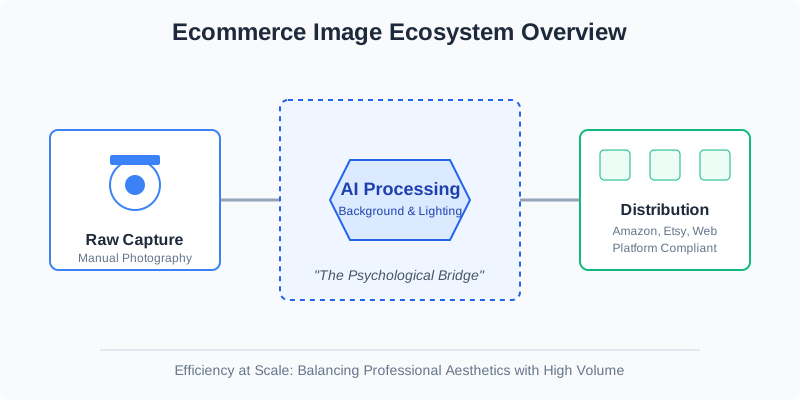
The Evolution of Product Editing: From Manual Pixels to AI Precision
Gone are the days when product editing required hours of manual pen-tool work in Photoshop for every single frame. The industry has shifted toward a hybrid model where AI handles the heavy lifting—like background removal and lighting correction—while human creativity focuses on brand storytelling.
Why does this matter? Because speed to market is a competitive advantage. If your competitor can launch a new collection with professional photos in 24 hours while you are waiting five days for a retouching agency, you’ve already lost the initial surge of interest.
The Impact of High-Quality Visuals on Key Metrics
Before we get into the "how," let's look at the "why." Data consistently shows that visual quality is the primary driver of ecommerce trust.
| Metric | Impact of Professional Editing | Why it happens |
|---|---|---|
| Conversion Rate (CR) | 30% - 50% Increase | Clearer details reduce buyer hesitation and perceived risk. |
| Return Rate | 15% - 22% Decrease | Accurate color grading ensures the product matches expectations. |
| Time on Page | 2x - 3x Increase | High-quality zoom-enabled images keep users engaged longer. |
Essential Editing Techniques for Every Seller
Every product photo enters a pipeline. Whether you're selling jewelry, electronics, or apparel, these core techniques form the foundation of professional ecommerce imagery.
1. Background Removal and Optimization
The "Hero" shot—the first image a customer sees—almost always requires a pure white background. This isn't just an Amazon requirement; it's a cognitive choice. A clean background removes distractions and forces the eye to focus entirely on the product's form and color.
2. Color Correction and Grading
Cameras often struggle with "True Color," especially under artificial lighting. Editing ensures that the "Ruby Red" dress isn't delivered looking "Burgundy." This involves adjusting white balance, saturation, and contrast to match the physical item as closely as possible.
3. Ghost Mannequin (Invisible Person) Effect
For apparel, the ghost mannequin effect is the gold standard. It gives the garment shape and volume without the distraction of a physical model or a plastic mannequin. It requires "compositing"—merging multiple shots (the front of the shirt and the inside neck area) into one seamless image.
Platform Requirements: A Moving Target
One of the biggest headaches in ecommerce product image editing is keeping up with different platform standards. What works for a moody, lifestyle-heavy Instagram shop will get your listing suppressed on Amazon.
| Feature | Amazon Requirements | Shopify/DTC Best Practices | Etsy Standards |
|---|---|---|---|
| Background | Pure White (RGB 255,255,255) | Flexible (Grey/Off-white) | Lifestyle/Natural |
| Product Fill | 85% or more of the frame | 70% - 90% | Varied |
| File Format | JPEG (.jpg), TIFF, GIF | WebP (Recommended), JPEG | JPEG, PNG |
| Resolution | Min 1000px on longest side | 2048x2048 (for zoom) | 2000px minimum |
The AI Revolution: How SellerCam Changes the Game
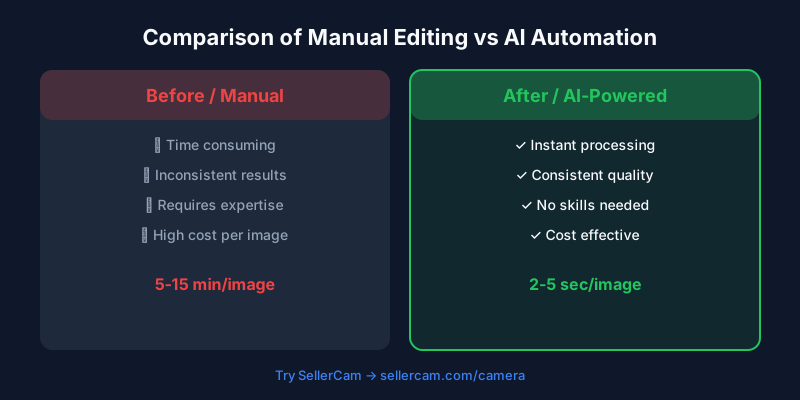
Traditional editing workflows are broken. They are either too expensive (hiring pros) or too slow (doing it yourself). This is where SellerCam enters the frame. By utilizing advanced AI, SellerCam automates the most tedious parts of the editing process.
Instead of spending 15 minutes per photo on background removal and shadow creation, SellerCam's AI camera and processing engine do it in seconds. This allows you to move from "Shooting" to "Selling" almost instantly.
The power of AI-driven editing isn't just about speed; it's about consistency. When you use SellerCam, every photo in your catalog shares the same lighting logic and background depth, creating a cohesive brand feel that builds shopper confidence.
Step-by-Step Workflow for Scalable Editing
To succeed, you need a repeatable process. Most successful sellers follow a "Batch-First" mentality.
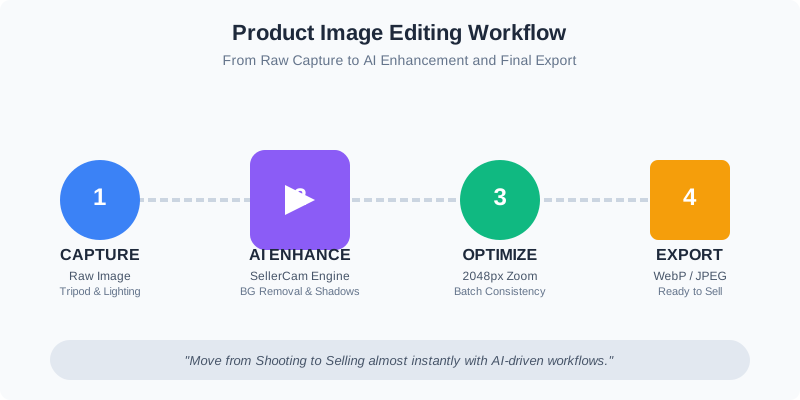
- Capture: Use consistent lighting and a tripod. If using SellerCam, the AI camera will guide your positioning.
- Culling: Quickly remove blurry or poorly composed shots. Don't waste time editing a bad photo.
- Base Processing: Run your batch through an AI background remover. This sets the stage for everything else.
- Enhancement: Apply AI upscaling and sharpening. This is crucial for mobile users who want to pinch-to-zoom.
- Shadow Injection: Add a subtle drop or reflection shadow. A product floating in a white void looks "fake"; a shadow grounds it in reality.
- Export: Save different versions for different platforms (e.g., a square 1:1 for Instagram and a 4:5 for Shopify).
Advanced Retouching: When to Go Deeper
While AI handles 90% of the work, some products require a "human touch." High-end jewelry, watches, and highly reflective surfaces like chrome often need manual pathing to remove unwanted reflections of the photographer or the room.
Dealing with Reflections
Reflective surfaces act like mirrors. During the editing phase, you may need to use "Frequency Separation" to smooth out reflections on metal while keeping the texture of the product intact.
Texture Preservation
A common mistake in aggressive AI editing is "over-smoothing." If a leather bag looks like plastic because the grain was edited out, the return rate will skyrocket. Modern editing tools now include "Texture Recovery" to ensure the tactile feel of the product is communicated visually.
| Editing Level | Best For | Typical Tools |
|---|---|---|
| Basic AI | Daily listings, bulk catalogs | SellerCam, Remove.bg |
| Advanced AI | Hero images, lifestyle composites | SellerCam Pro, Midjourney (for backgrounds) |
| Manual High-End | Luxury goods, jewelry, hero banners | Adobe Photoshop, Capture One |
Checklist for Perfect Ecommerce Images
Before you hit "Upload," run your images through this quality control checklist. Consistency is the difference between a professional brand and a hobbyist.

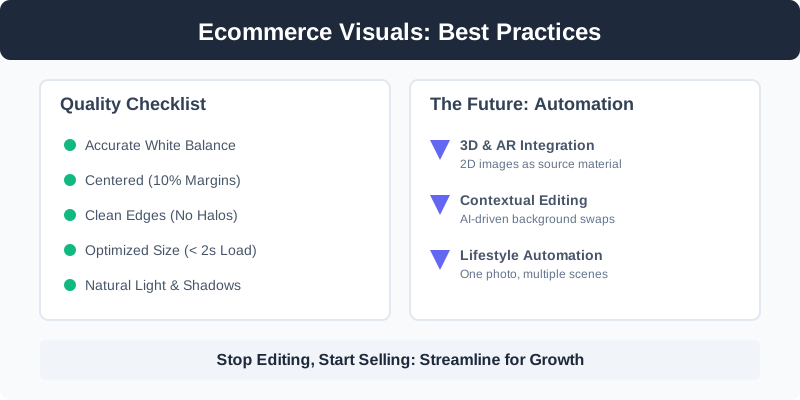
- Is the white balance accurate? (Does the white look white, not blue or yellow?)
- Is the product centered? (Use a 10% margin on all sides.)
- Are the edges clean? (No "halos" or jagged lines from the background removal.)
- Is the file size optimized? (Large enough for zoom, but small enough to load in under 2 seconds.)
- Does the shadow look natural? (The light source for the shadow should match the light source on the product.)
The Future of Product Visuals: Beyond Static Images
As we move forward, ecommerce product image editing is expanding into 3D and AR (Augmented Reality). However, the foundation remains the same: a perfectly edited 2D image is the source material for these advanced formats.
AI is also enabling "Contextual Editing." Imagine taking one photo of a coffee mug and, with a few clicks, placing it on a marble kitchen counter, a wooden office desk, and a cozy bedside table. This "Lifestyle Automation" is the next frontier for SellerCam and the industry at large.
Conclusion: Stop Editing, Start Selling
Ecommerce product image editing shouldn't be a bottleneck in your business. It should be a streamlined engine that powers your growth. By combining the strategic principles of photography with the efficiency of AI tools like SellerCam, you can produce images that don't just look good—they sell.
Ready to transform your workflow? Don't spend another afternoon struggling with complex software. Try SellerCam's AI camera today and see how professional-grade editing can happen in the palm of your hand. Whether you're cleaning up a single shot or refreshing your entire catalog, the future of ecommerce imagery is fast, automated, and incredibly high-quality.
Author

Categories
More Posts

Best Photo Editing Software for eBay Sellers: From Professional Suites to AI Automations
Discover the best photo editing software for eBay. Compare professional tools, free editors, and AI-powered solutions to boost your sales and meet eBay's image requirements.

Mastering Background Removal for Product Images: The Ultimate Seller's Guide
Learn how to remove backgrounds from product images efficiently. Discover pro techniques using AI, manual tools, and platform-specific requirements to boost sales.

Mastering Background Removal in Adobe Illustrator: A Comprehensive Guide for E-commerce Sellers
Learn five professional methods to remove backgrounds in Adobe Illustrator, from Image Trace to Clipping Masks, and discover faster AI alternatives for product photography.
Newsletter
Join the community
Subscribe to our newsletter for the latest news and updates