The Ultimate Guide to eBay Photo Editing Software: Professional Results Without the Learning Curve
Discover the best eBay photo editing software to boost your sales. Compare AI tools, free editors, and professional suites to meet eBay's image requirements.
Selling on eBay has evolved from a casual garage sale platform into a hyper-competitive global marketplace. In this environment, your product photo isn't just a picture; it's your storefront, your salesperson, and your trust-builder all rolled into one. If your images look amateurish, buyers will scroll past your listing before they even read your title.
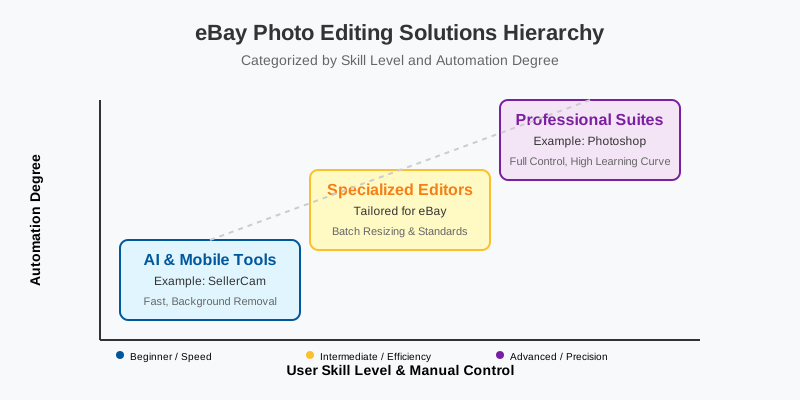
Using the right eBay photo editing software can be the difference between a "Watch" and a "Buy It Now." However, the software landscape is vast, ranging from complex professional suites like Photoshop to lightning-fast AI tools like SellerCam. This guide will walk you through the best options for every skill level and budget, ensuring your listings meet eBay's strict standards while standing out from the crowd.
Why Specialized eBay Photo Editing Matters
eBay isn't just a place to upload any photo. The platform has specific technical requirements and psychological triggers that drive conversions. While you can use a generic photo editor, software tailored for e-commerce—and specifically eBay—helps you automate the boring stuff like background removal and resizing.
eBay's Technical Image Requirements
Before we dive into the software, let's look at what eBay actually demands. Failure to meet these specs can lead to suppressed listings or poor search visibility.
| Requirement | eBay Specification | Why It Matters |
|---|---|---|
| Minimum Size | 500 pixels on the longest side | Ensures clarity on mobile devices |
| Recommended Size | 1600 pixels on the longest side | Enables the "Zoom" feature for buyers |
| Background | Clean, white, or light grey preferred | Minimizes distractions and looks professional |
| Format | JPEG, PNG, TIFF, BMP, or GIF | Standard web formats for fast loading |
| Prohibitions | No borders, watermarks, or text | Keeps the marketplace clean and unbiased |
Top Tiers of eBay Photo Editing Software
Choosing the right software depends on your volume. A casual seller listing five items a month has very different needs than a high-volume reseller processing hundreds of SKUs weekly.
1. AI-Powered Automation (The Modern Standard)
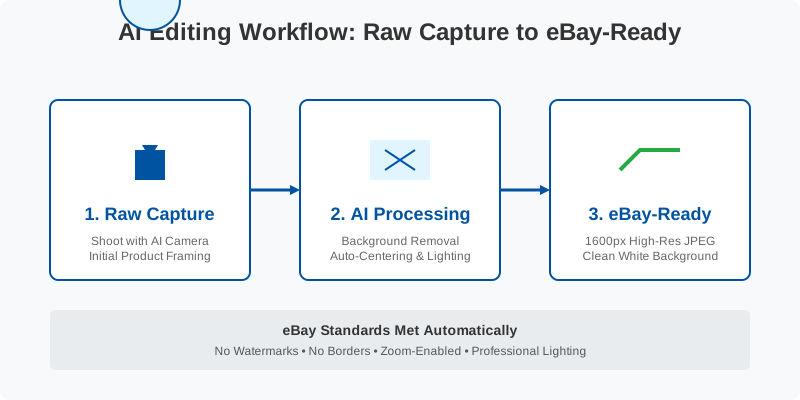
For most eBay sellers, AI tools are now the gold standard. They eliminate the "learning curve" associated with traditional design software. Instead of manually tracing the edges of a product, AI recognizes the object and removes the background in seconds.
SellerCam, for instance, is built specifically for this workflow. It doesn't just edit; it acts as a virtual studio. You can use the built-in AI camera to shoot and edit simultaneously, ensuring every photo is perfectly centered with a crisp white background.
2. Professional Desktop Suites (For Total Control)
If you are selling high-end antiques or items requiring extensive retouching (like removing deep scratches or color-correcting rare collectibles), desktop software offers the most precision.
- Adobe Photoshop: The industry standard. Powerful, but expensive and has a steep learning curve.
- GIMP: A free, open-source alternative to Photoshop. It’s powerful but can be clunky for beginners.
- Affinity Photo: A one-time purchase alternative that offers professional-grade tools without the subscription.
3. Web-Based Graphic Design Tools
These tools are great for creating "lifestyle" images for your eBay description, though they are less efficient for bulk background removal.
- Canva: Excellent for adding subtle branding or creating collage images.
- Pixlr: A browser-based editor that feels like a simplified Photoshop.
Comparing the Best Tools for eBay Sellers
To help you decide, let's look at how the top contenders stack up across the metrics that matter most to resellers: speed, cost, and ease of use.
| Software | Best For | Price | Background Removal Quality |
|---|---|---|---|
| SellerCam | High-volume resellers | Free/Pro options | 10/10 (AI-driven) |
| Adobe Photoshop | Professional photographers | Monthly Subscription | 10/10 (Manual/AI) |
| GIMP | Budget-conscious techies | Free | 7/10 (Manual) |
| Canva | Social media & Lifestyle | Free/Pro options | 8/10 (Pro only) |
| eBay App Editor | Quick, casual selling | Free | 5/10 (Basic) |
Real-World Transformation: Before and After
The impact of professional editing software is most visible when moving from a "home" environment to a "studio" look. Even if you shoot on a kitchen table, the right software can make it look like it was shot in a high-end studio.
The "Before" image often suffers from yellow indoor lighting and distracting shadows. The "After" image, processed through eBay-optimized software, features a neutral color balance and a clean background that makes the product "pop."
The Professional Workflow: From Shoot to Upload
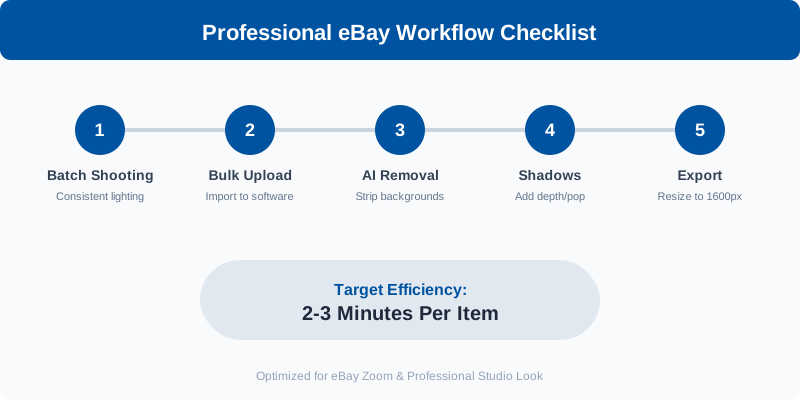
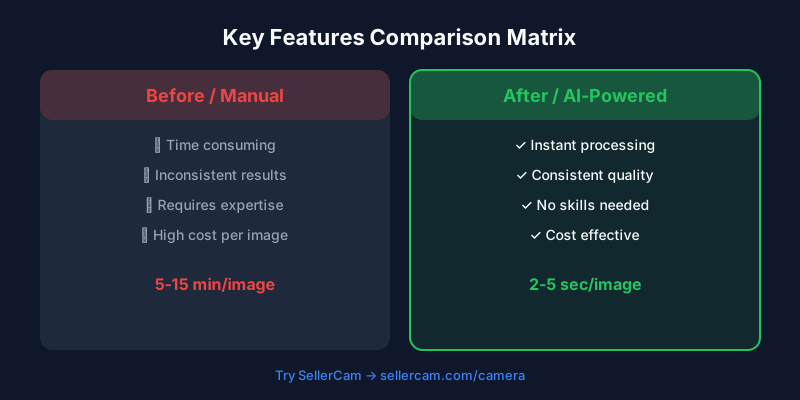
Efficiency is the name of the game in e-commerce. You shouldn't spend more than 2-3 minutes per item on photography and editing. Here is the optimized workflow used by top-rated eBay sellers:
- Batch Shooting: Take all your photos at once using consistent lighting.
- Bulk Upload: Import your photos into your chosen software.
- AI Background Removal: Use a tool like SellerCam to strip backgrounds in one click.
- Shadow Enhancement: Add a subtle "drop shadow" or "reflection" to give the product depth so it doesn't look like it's floating in space.
- Export & Resize: Batch export at 1600px to ensure the eBay zoom feature works perfectly.
Avoiding Common Editing Mistakes
While software can do wonders, over-editing is a common trap that can lead to "Item Not As Described" cases.
- Over-Saturating Colors: Making a dress look "vibrant red" when it's actually "brick red" will lead to returns. Use software to correct color, not exaggerate it.
- Hiding Flaws: Never use the "healing brush" or "clone stamp" to hide a scratch or stain on a used item. This is a fast track to a negative feedback rating.
- Low-Resolution Exports: Some free mobile apps compress your images so much they look blurry on a desktop. Always check your export settings.
Pro Tip: Always edit your photos on a screen with high brightness. If your monitor is too dim, you might over-brighten the photo, making it look "blown out" on your customer's smartphone.
Essential Features to Look For
When shopping for eBay photo editing software, ensure it includes these four "must-have" features:
- Batch Processing: The ability to apply the same edit to 20 photos at once.
- Aspect Ratio Presets: eBay prefers square (1:1) images. Your software should have a one-click crop for this.
- Cloud Sync: The ability to take a photo on your phone and have it ready to edit on your desktop immediately.
- AI Image Enhancement: Tools that automatically adjust brightness, contrast, and sharpness without manual sliding.
The Cost of Professional Photos
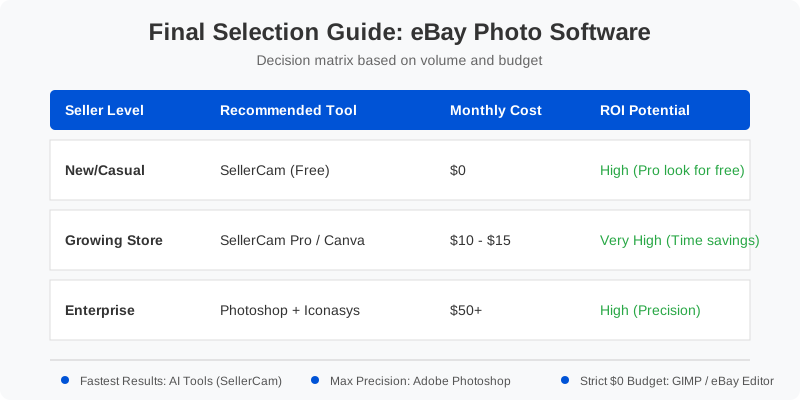
Many sellers worry about the cost of software, but it's important to view it as an investment. Better photos lead to higher sell-through rates (STR) and higher average sale prices (ASP).
| Seller Level | Recommended Tool | Estimated Monthly Cost | ROI Potential |
|---|---|---|---|
| New/Casual | SellerCam (Free) | $0 | High (Professional look for free) |
| Growing Store | SellerCam Pro / Canva | $10 - $15 | Very High (Time savings) |
| Enterprise | Photoshop + Iconasys | $50+ | High (Maximum precision) |
Summary and Final Recommendations
In the modern eBay landscape, "good enough" photos are no longer enough. To compete with professional retailers and high-volume dropshippers, you need your listings to look clean, consistent, and trustworthy.
- If you want the fastest results with zero learning curve, use an AI-driven tool like SellerCam. It handles the eBay requirements automatically so you can focus on sourcing more inventory.
- If you are a creative professional who enjoys the editing process, Adobe Photoshop remains the king of precision.
- If you are on a strict $0 budget, GIMP or the basic eBay app editor will get the job done, though they will take more of your time.
Success on eBay starts with the click of a shutter and ends with the click of an edit button. Choose the software that fits your workflow, and watch your conversion rates climb.
Ready to transform your eBay store? Don't let bad lighting or messy backgrounds hold back your sales. Try SellerCam's AI camera today and see how professional-grade editing can take your business to the next level.
作者

分类
更多文章
How to Remove Background from Image on PowerPoint: The Complete Guide for Sellers
Master the art of background removal in PowerPoint. Learn step-by-step techniques, compare built-in tools with AI alternatives, and optimize your product photos.

Google Slides: How to Remove Background from Image for Professional Presentations
Master background removal in Google Slides with our comprehensive guide. Learn built-in methods, Gemini AI features, and professional alternatives for high-quality product slides.

Best Photo Editing Software for eBay Sellers: From Professional Suites to AI Automations
Discover the best photo editing software for eBay. Compare professional tools, free editors, and AI-powered solutions to boost your sales and meet eBay's image requirements.
邮件列表
加入我们的社区
订阅邮件列表,及时获取最新消息和更新