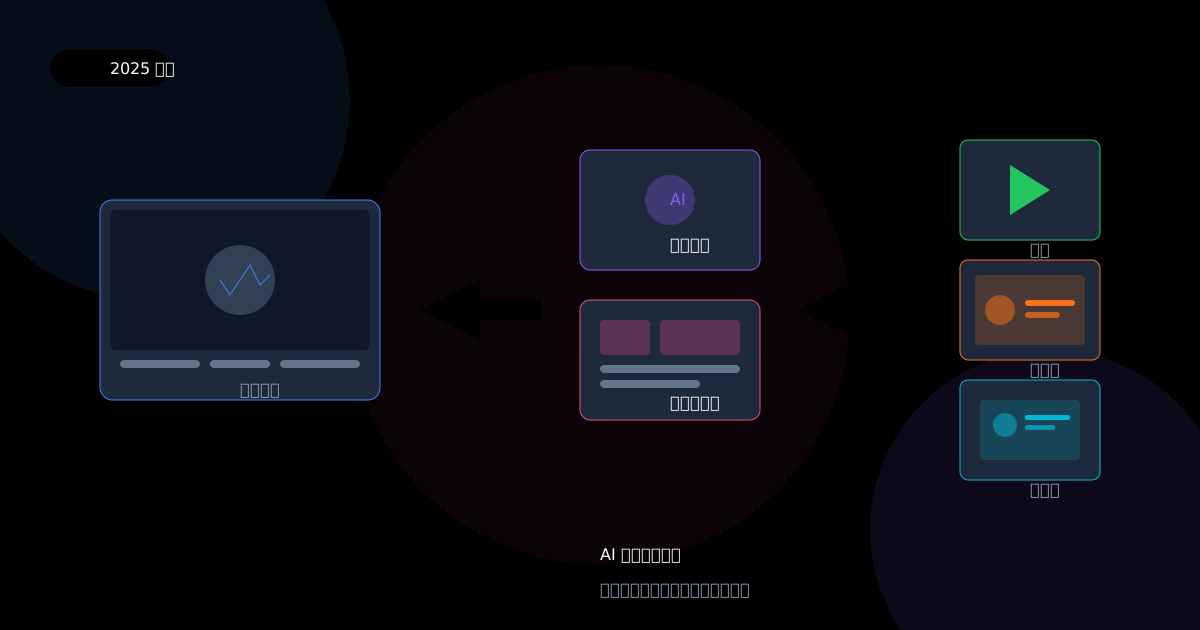
How AI is Revolutionizing Content Creation: From Thumbnails to Demo Videos
In 2025, AI doesn't just write text—it's generating entire visual workflows. Discover how tools like Veo 3, Runway Gen-4, and Kling are transforming content creation for creators and marketers.
In 2025, artificial intelligence has evolved far beyond simple text generation. Today's AI tools are capable of creating entire visual workflows—from eye-catching thumbnails to professional demo videos—in minutes rather than days. But what does this seismic shift mean for content creators, digital marketers, and e-commerce entrepreneurs?
The answer lies not in replacement, but in augmentation. AI is becoming the creative co-pilot that handles tedious production tasks, freeing human creators to focus on strategy, storytelling, and authentic connection with their audiences.
The AI Content Creation Landscape in 2025
According to Google Trends data, search interest in "AI video generator" has surged from an index of 48 in December 2024 to a peak of 79 by June 2025—a 65% increase in just six months. Related breakout terms like "Veo 3" (Google's latest AI video model) and "Kling" have seen explosive growth, signaling a fundamental shift in how creators approach video production.
This isn't just about video. The entire content creation pipeline is being transformed. Thumbnail generation, product photography, social media graphics, and promotional videos can now be produced with AI assistance, dramatically reducing both time and cost while maintaining—and sometimes exceeding—human-quality output.
The New Generation of AI Video Tools
The AI video generation space has matured rapidly. Let me walk you through the major players and what makes each unique.
Runway Gen-4: The Creative Professional's Choice
Runway has established itself as the go-to platform for creative professionals who need precise control over their AI-generated content. The Gen-4 model, released in late 2024, brought significant improvements in motion consistency and prompt fidelity. What sets Runway apart is its emphasis on creative control—you can manipulate camera movements, subject motion, and even combine multiple reference images to achieve specific visual styles.
For e-commerce sellers, Runway's image-to-video capability is particularly valuable. Upload a static product photo, and the AI can animate it with realistic motion—a watch face catching light, fabric flowing naturally, or a tech gadget rotating to show all angles.
Google Veo 3: The Democratizer
Google's Veo 3 has taken the accessibility crown. Available through Google's AI suite, it offers impressive text-to-video generation that rivals dedicated platforms. The breakout search trends for "veo 3 ai video generator" reflect its rapid adoption among creators who want powerful capabilities without steep learning curves.
What makes Veo 3 particularly interesting is its integration potential. Creators who already use Google's ecosystem can incorporate AI video generation into their existing workflows seamlessly.
Kling and Hailuo: The Eastern Contenders
Chinese AI models Kling and Hailuo have emerged as serious competitors, often matching or exceeding Western alternatives in specific use cases. Kling 1.6, in particular, has gained recognition for its exceptional motion smoothness and ability to handle complex scenes with multiple subjects.
Pika and Sora: The Innovators
Pika has carved out a niche with its innovative features like PikaSwap, which allows for dynamic element replacement in videos. OpenAI's Sora, while more restricted in access, represents the cutting edge of what's possible in text-to-video generation, producing remarkably coherent and visually stunning results.
Beyond Video: AI-Powered Thumbnail and Image Generation
While video captures the headlines, the transformation in static image generation is equally significant for content creators. YouTube thumbnails, product photography, and social media graphics have all been revolutionized by AI tools.
The Thumbnail Revolution
A compelling thumbnail can mean the difference between a video that goes viral and one that languishes in obscurity. AI tools have made professional-quality thumbnail creation accessible to everyone, but they've also raised questions about authenticity and viewer trust.
The YouTube creator community has increasingly adopted AI thumbnail generators, but with mixed feelings. On one hand, these tools can produce eye-catching images in seconds. On the other, there's concern about misleading viewers with AI-generated faces or scenes that don't appear in the actual video.
Product Photography: The E-commerce Game Changer
For e-commerce sellers, product photography has traditionally been one of the most time-consuming and expensive aspects of running an online store. Professional photo shoots require equipment, lighting, props, and often a photographer—costs that can quickly add up, especially for sellers with extensive catalogs.
AI product image generators are changing this equation dramatically. Tools can now take a simple smartphone photo of a product and transform it into a professional-looking image with perfect lighting, appealing backgrounds, and multiple angles—all without a physical studio.
However, as one Reddit user in r/ecommerce pointed out: "I personally don't like 100% AI photos. I want my photos to be of my actual product so customer expectations and my product are aligned." This sentiment reflects a crucial tension in the AI content space: the balance between efficiency and authenticity.
The Real-World Impact: Case Studies from the Trenches
Let me share some concrete examples of how AI content tools are being used in practice, drawing from discussions across Reddit, Product Hunt, and creator communities.
Case Study 1: The Dropshipper's Dilemma
In a recent thread on r/DropshippingTips, a seller shared their experience testing AI-generated product images against traditional supplier photos. The AI images, created using tools like Seedream 4 and Nano Banana, showed a 23% improvement in click-through rates on their Shopify store.
However, the seller noted an important caveat: return rates initially increased by 8% as customers felt the AI-enhanced images set unrealistic expectations. The solution? Using AI to enhance real product photos rather than creating entirely synthetic images—a hybrid approach that maintained authenticity while improving visual appeal.
Case Study 2: The YouTube Creator's Workflow
A creator with 50,000 subscribers documented their transition to AI-assisted content production. Previously, creating a single video with custom thumbnail took approximately 12 hours. With AI tools integrated into their workflow:
- Thumbnail generation: Reduced from 2 hours to 15 minutes
- B-roll footage: AI-generated scene transitions saved 3 hours per video
- Intro/outro animations: Custom AI-generated segments replaced expensive templates
Total time savings: 5+ hours per video, allowing them to increase their posting frequency from once a week to twice weekly without sacrificing quality.
The Ethical Landscape: Navigating AI Content Creation
As AI content creation tools become more sophisticated, ethical considerations have moved to the forefront of industry discussions. The debates center on several key areas.
Authenticity vs. Enhancement
There's a meaningful difference between AI that enhances real content and AI that fabricates it entirely. A product photo with AI-improved lighting maintains the product's authentic appearance. A completely AI-generated product image might create expectations the real product can't meet.
The emerging consensus among e-commerce sellers is that AI works best as an enhancement layer rather than a replacement for reality. Use AI to improve your real product photos, not to create fantasy versions of products that don't exist.
Disclosure and Transparency
Should creators disclose when content is AI-generated? The question becomes particularly pointed for influencer marketing and product reviews. Some platforms are beginning to require AI disclosure labels, but enforcement remains inconsistent.
Best practices emerging from creator communities suggest:
- Always disclose AI-generated faces or personas
- Label AI-generated product demos clearly
- Use AI as a tool, but maintain human oversight and final approval
Bias in AI Visual Generation
AI image generators have well-documented biases, often defaulting to certain aesthetic standards that don't represent the full diversity of potential customers. Creators and marketers need to be intentional about the prompts they use and the outputs they select to ensure their AI-generated content represents their actual audience.
Practical Guide: Building Your AI Content Workflow
Ready to integrate AI into your content creation process? Here's a practical framework based on what's working for creators and marketers right now.
Step 1: Audit Your Current Workflow
Before adding AI tools, understand where your time actually goes. Most creators find that they spend disproportionate time on:
- Thumbnail creation and iteration
- B-roll footage sourcing or creation
- Basic video editing tasks
- Product photography and editing
- Social media graphic creation
These are precisely the areas where AI tools can provide the most leverage.
Step 2: Start with One Tool, One Task
The temptation is to adopt every new AI tool simultaneously. Resist it. Instead, choose one high-impact area and master it before expanding.
For most e-commerce sellers, product photography enhancement offers the best starting point. For YouTube creators, thumbnail generation typically provides the fastest return on time investment.
Step 3: Establish Quality Control
AI tools are powerful but imperfect. Every piece of AI-generated content should pass through human review before publication. Create a checklist:
- Does this accurately represent my product/content?
- Would this meet my audience's expectations?
- Is there anything misleading or potentially problematic?
- Does this align with my brand voice and aesthetic?
Step 4: Measure and Iterate
Track the impact of AI-generated content on your key metrics:
- Click-through rates for thumbnails
- Conversion rates for product images
- Engagement rates for AI-assisted videos
- Return rates if using AI for e-commerce imagery
Use this data to refine your approach, doubling down on what works and adjusting what doesn't.
The Future: What's Coming Next
The AI content creation landscape is evolving at a breathtaking pace. Based on current trends and development trajectories, here's what creators should prepare for.
Real-Time AI Video Generation
Current tools require minutes to generate short video clips. Within the next 12-18 months, expect near-real-time generation that enables live AI-assisted production. Imagine streaming with AI-generated backgrounds and effects that respond to your content in real time.
Personalized Content at Scale
AI will enable hyper-personalized content creation, where the same base content can be automatically adapted for different audience segments, languages, and platforms—all while maintaining brand consistency.
Deeper Integration with Existing Tools
Standalone AI tools will increasingly integrate into existing creative software. Adobe, Canva, and other major platforms are rapidly building AI capabilities directly into their products, making AI content creation accessible without switching applications.
For E-commerce Sellers: A Special Focus
If you're selling products online, AI content creation tools offer particularly compelling opportunities. Let me address this audience specifically, since the intersection of AI and e-commerce is where some of the most practical applications are emerging.
The Product Photography Challenge
Every e-commerce seller knows the struggle: you need professional-looking product photos, but you're working with limited resources. Traditional options—hiring a photographer, renting studio time, or struggling with DIY setups—all have significant drawbacks in terms of cost, time, or quality.
AI tools are uniquely positioned to solve this problem. The key is understanding what AI can and cannot do effectively.
What AI does well:
- Background removal and replacement
- Lighting enhancement and color correction
- Creating lifestyle context shots from product photos
- Generating multiple angles from limited source images
- Batch processing for large catalogs
What AI struggles with:
- Capturing true product texture and materials
- Showing accurate colors without reference
- Creating images of products that don't exist yet
- Replacing the need for at least one good source photo
The sweet spot for e-commerce is using AI to enhance and multiply your existing photography rather than replace it entirely. Take good photos with your smartphone, then let AI handle the professional polish.
Video for E-commerce
Product videos convert better than static images—this is well-established. But creating videos for every product in your catalog has traditionally been prohibitively expensive. AI changes this calculus entirely.
Modern AI video tools can take your static product images and create compelling motion content: rotating product views, lifestyle usage scenarios, or animated feature highlights. The results aren't indistinguishable from professional video shoots, but they're good enough to significantly boost engagement and conversion rates.
For sellers looking to get started, the workflow is straightforward: capture your best product photos, run them through an AI enhancement tool to optimize quality, then use an AI video generator to create motion content. The entire process can take minutes per product rather than hours or days.
SellerCam: Simplifying the AI Photography Workflow
Speaking of streamlined workflows, if you're an e-commerce seller looking for a simpler approach to product photography, SellerCam represents an interesting solution in this space.
Rather than juggling multiple AI tools for photography, background removal, and enhancement, SellerCam consolidates the workflow. You can capture product photos directly through your webcam, and the AI automatically generates multiple style variations—no complex prompt engineering required.
The key differentiators that matter for sellers:
- Direct webcam capture eliminates the transfer friction between phone and computer
- One-click generation produces four style variations automatically
- AI optimization handles enhancement without manual prompting
- Video generation support extends the same simplicity to motion content
For sellers managing large catalogs or those who lack photography expertise, this kind of integrated approach removes significant friction from the content creation process.
Conclusion: The Human Element Remains Essential
As AI tools become increasingly capable of generating visual content, it's worth remembering what they cannot replace: human judgment, authentic connection, and strategic thinking.
The creators and marketers who will thrive in this AI-augmented landscape are those who use these tools to amplify their unique perspectives rather than substitute for them. AI can generate a thousand thumbnails, but only you know which one truly represents your content and will resonate with your specific audience.
The most successful approach treats AI as a creative collaborator—handling the production grunt work so you can focus on what humans do best: understanding audiences, crafting narratives, and building genuine connections.
The revolution in AI content creation isn't about machines replacing human creativity. It's about freeing human creativity from the constraints of production complexity. In 2025 and beyond, the question isn't whether to use AI in your content workflow—it's how to use it most effectively while maintaining the authenticity that makes your content uniquely valuable.
The tools are ready. The opportunities are vast. The only question is: how will you use them?
Author

More Posts

The Ultimate Guide to Best Software to Remove Background from Image for E-commerce
Discover the best software to remove background from images. Compare AI tools, professional software, and batch processors to streamline your e-commerce workflow.
Ghost Mannequin vs. On-Model Images: Which Drives Higher Shopify Conversions?
Discover the impact of ghost mannequin photography versus live model images on Shopify conversion rates. Learn which style fits your brand, cost implications, and how AI is changing the game.

Online Tools to Remove Background from Images: The Complete Guide
Discover the best online background removal tools for product photography. Compare features, pricing, and results to find the perfect solution for your e-commerce business.
Newsletter
Join the community
Subscribe to our newsletter for the latest news and updates